
Run production AI agents without running the infrastructure
Pick a template, press deploy, and get a working agent with a model, a URL and a bill you can read. Here is what that actually gets you.
Most teams that want an AI agent in production do not want an AI agent project. They want a thing that answers questions in Slack, or triages tickets, or reads a repository and writes a summary — and they would like it to still be working next month without anyone owning it.
The distance between those two is larger than it looks. A model provider account. A key nobody should have. Somewhere to run a container. A queue. A database for conversation state. Logs you can search at 2am. A way to know what it cost. Roughly a fortnight of setup before the agent does anything you asked for.
Build Your Future is that fortnight, already done.
What you actually get
A running agent, not a repository
You pick a template and press deploy. What comes back is a URL with an agent behind it — container, volume, health checks, restarts and TLS included. No Dockerfile, no cloud account.
Model access without a key
Every request goes through the inference gateway, which holds the provider credentials and meters usage per token. You never paste an API key into a config file, and no agent ever sees one.
One bill, in cents you can trace
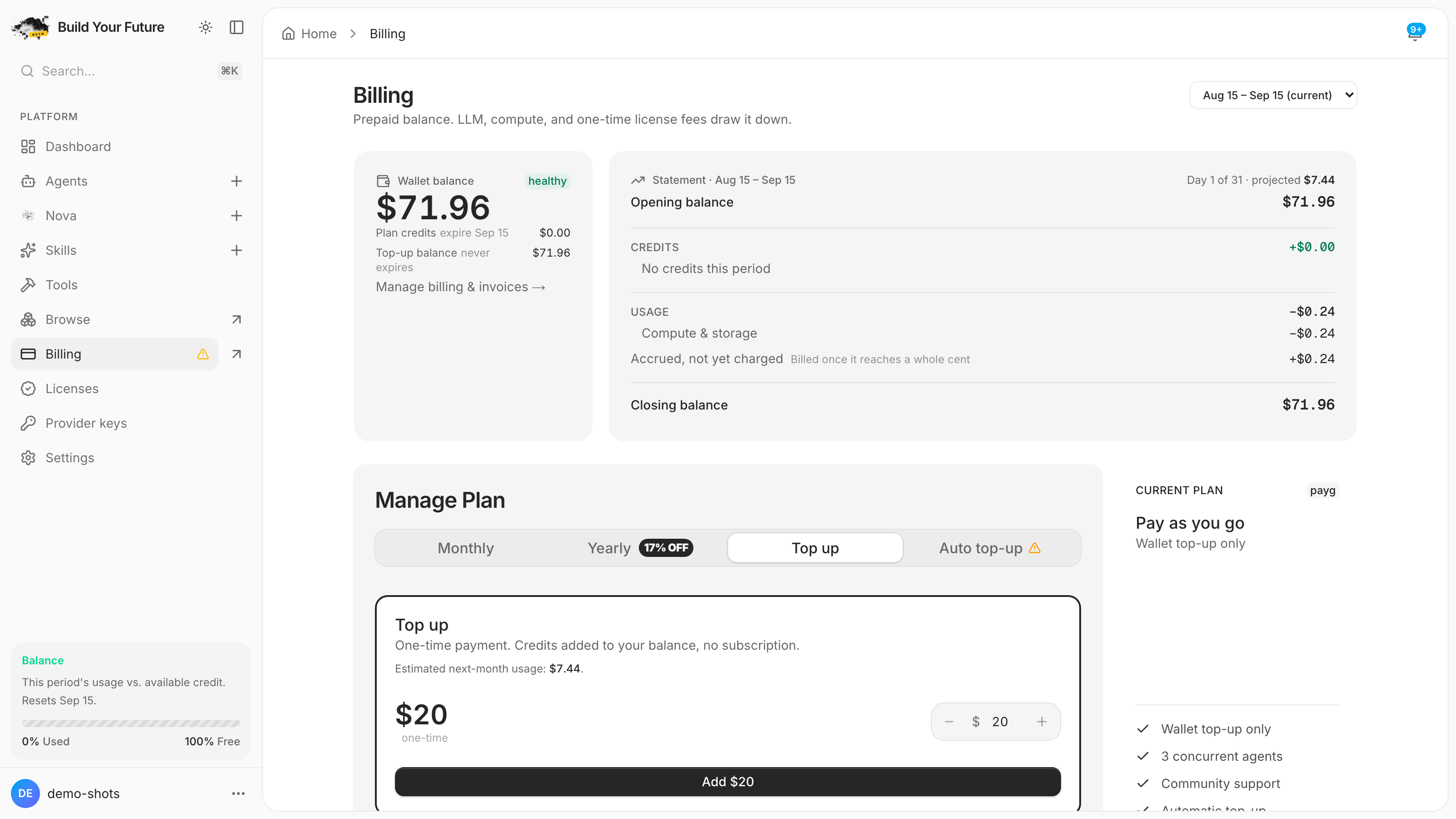
Compute and tokens land on the same statement, per agent, per day. Not a seat count, not a plan tier you have to translate into what you used.
An upgrade path that is not your problem
Templates track their upstream projects. When a new version is released, the agent shows an update — you choose when, we handle the build.
Everything on one screen
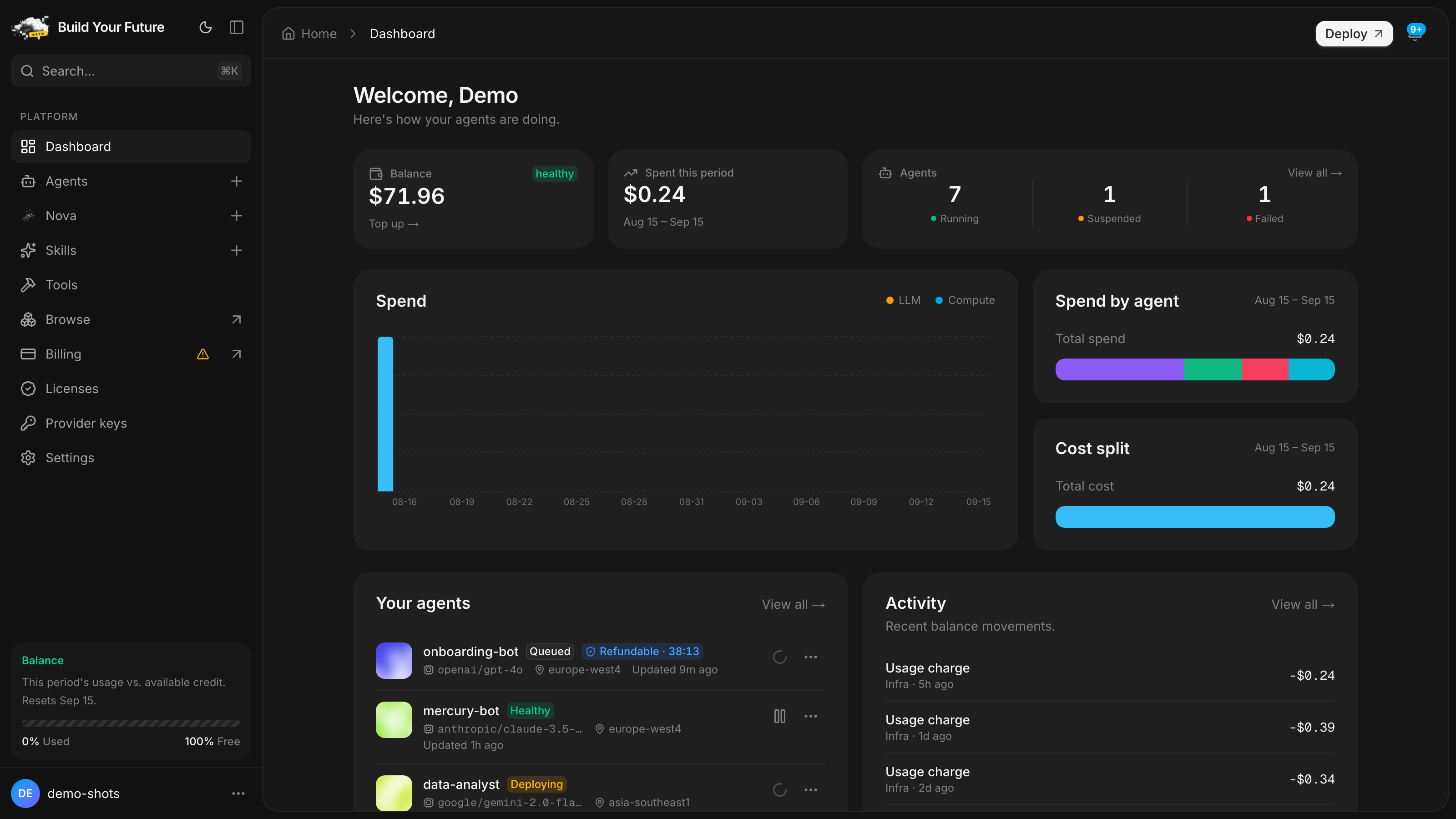
The dashboard is the whole surface: which agents exist, whether they are healthy, and what each one has cost this month. Deploy, pause, redeploy and delete are all one click from here.
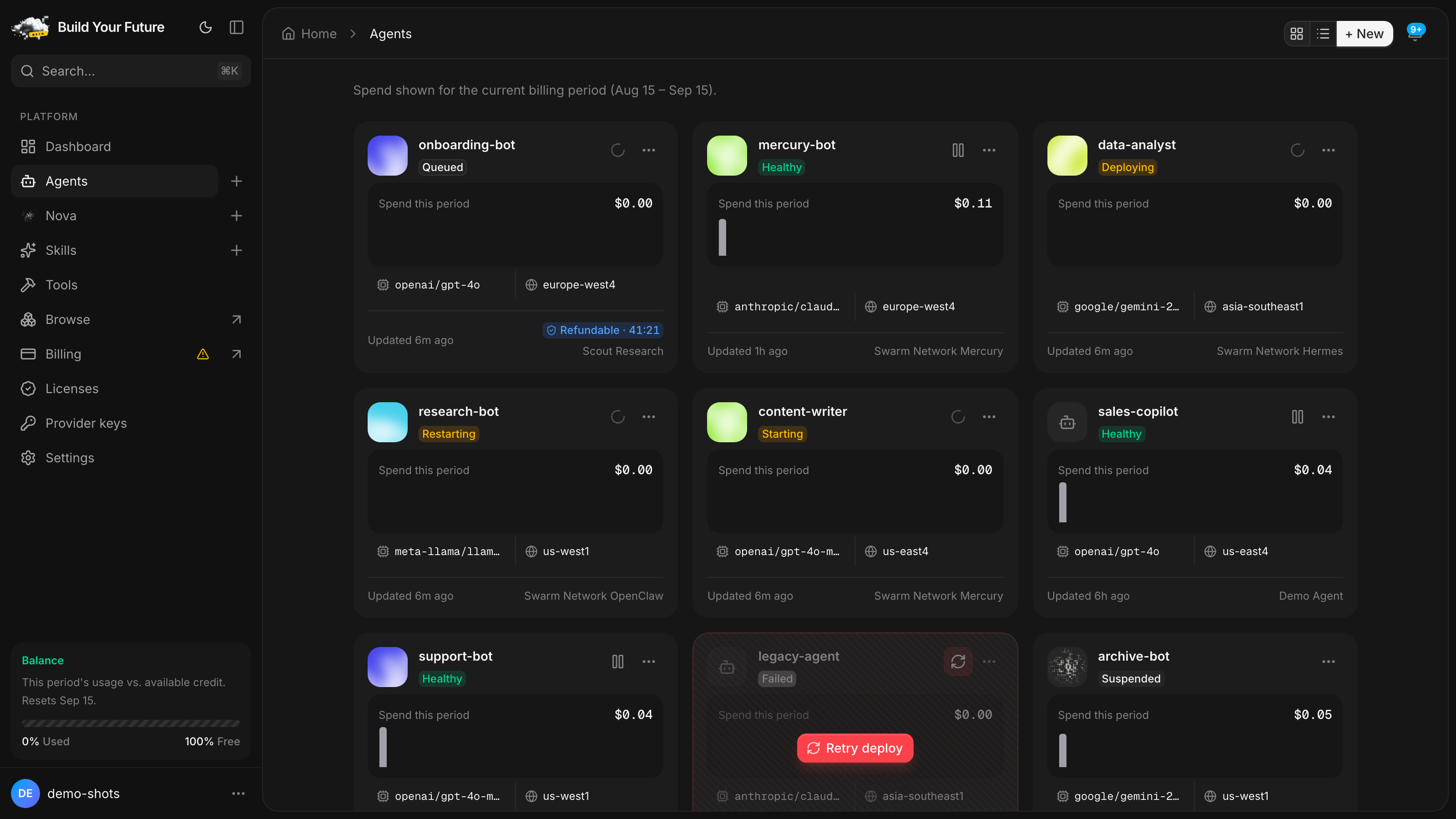
It follows your system theme, because half of you will read this at night.
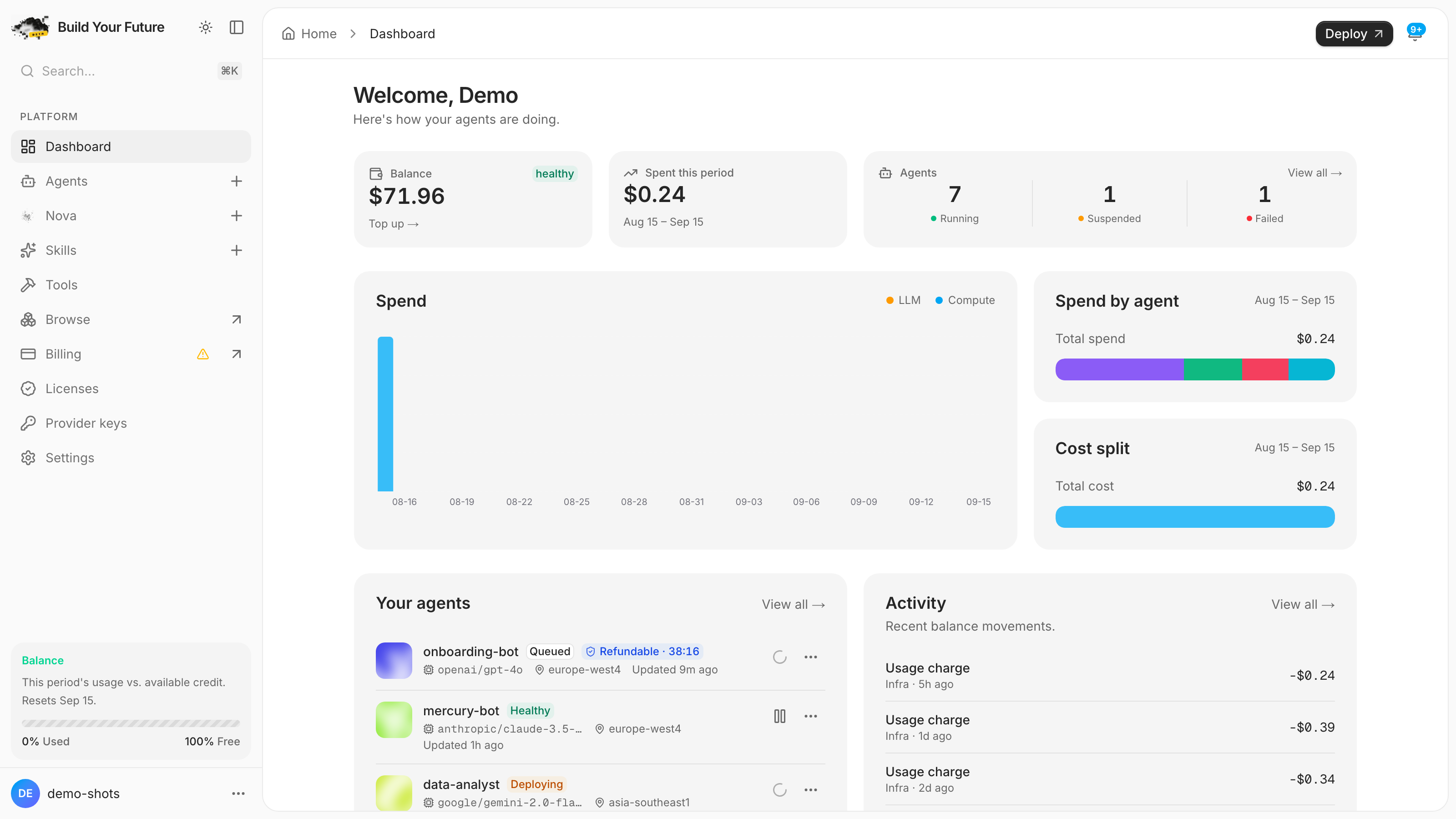
Start from something that already works
Templates are maintained forks of real agent projects, not starter scaffolds. Each one is pinned to a known-good upstream release, patched where the managed environment needs it, and tested against a live container before it reaches the catalog.
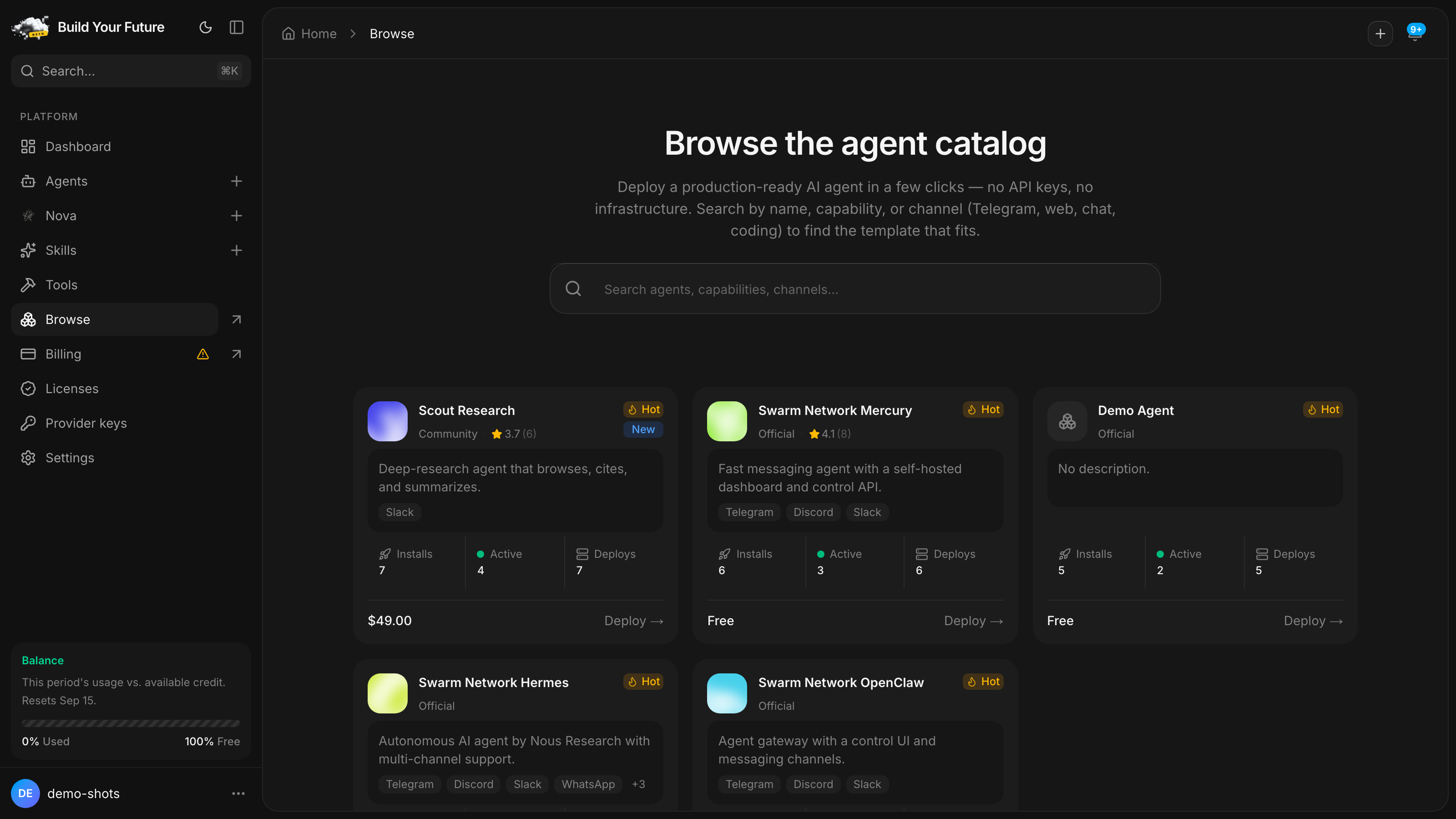
Deploying one takes a name and a model:
Catalog → Hermes → Deploy
  Name    support-bot
  Model   claude-sonnet-5
  Region  auto
curl -X POST https://buildyourfuture.app/api/agents \
-H "Authorization: Bearer $BYF_KEY" \
-d '{"template":"hermes","name":"support-bot","model":"claude-sonnet-5"}'Billing you can argue with
Usage is recorded per request and priced at the token. The usage page shows where the money went, by agent and by day, and the number on it is the number on the invoice.
Why this matters more than it sounds
Per-seat pricing for an agent platform is a bet that you will not use it much. Per-token pricing means a quiet month is a cheap month, and a busy one is legible rather than a surprise.
Where your team already is
An agent is not much use if reaching it means opening a dashboard. Turn on Telegram and the platform creates a bot for that agent, wires the webhook and handles files and rich replies. Everything else is an HTTP endpoint with a token.
When one agent is not enough
Novas orchestrate other agents. A Nova holds the roster, decides which agent answers what, keeps shared memory across conversations, and can run on a schedule — so "summarise yesterday's tickets every morning at nine" is configuration rather than a cron job you maintain.
- Route a question to the agent that can answer it, or coordinate several that each hold part of it
- Persistent memory across sessions, not a context window that forgets on Monday
- Scheduled runs with a history you can read when one of them misbehaves
Deploy your first agent
Free to start. No card until you spend something, and no key to paste.
What it does not do
It is a managed control plane, so the tradeoffs are the ones managed platforms have:
- You do not choose the cloud. Agents run on our infrastructure. If your compliance posture requires a specific region or account, this is not the right fit.
- You do not get root. Agents are containers with a volume and an API, not machines you SSH into.
- Templates set the shape. You can configure an agent and extend it with skills, but the managed path expects something that looks broadly like the templates.
If those are dealbreakers, this is not for you. If they are not, you can have an agent answering questions before lunch.
Questions
- Do I need my own OpenAI or Anthropic key?
- No. Model access is included and metered per token through the platform's inference gateway. You can bring your own key if you would rather be billed by the provider directly, but nothing requires it.
- What does it cost to run an agent that nobody is using?
- Close to nothing. You are billed for compute while the container is up and for tokens when a model is called. A paused agent bills neither.
- Where does it actually run?
- Each agent is its own container with its own volume and its own URL. Agents do not share a process, so one agent cannot exhaust another's memory or read its files.
- How do I connect it to Slack or Telegram?
- Telegram is a toggle: the platform creates a bot per agent and wires the webhook. Other channels are HTTP — the agent has a URL and an auth token.
Related
- SN T3Code: a coding agent that keeps working when you close the lid
T3 Code on its own cloud machine, with Claude Code, Codex and OpenCode installed, included credits, and more than 15,000 paid tools connected.
- A direct line to our team, built into your dashboard
Support is now part of Build Your Future. Open a ticket in two clicks, reach a person who can help, and help shape what we build next.
- Nova just got six new powers, and it never picks the wrong one
One agent runs all your agents. It remembers you, counts instead of guessing, works after you close the tab, and cannot spend past your limit.
Also available as raw markdown.